Book A Demo

Manufacturing Operations Management Software
Overview & Features

ProcessIQ Pro: Rapid deployment to a Paperless Shop Floor

ProcessIQ Pro is a comprehensive digital manufacturing solution designed to help you transition seamlessly from outdated paper-based workflows to a fully digitized, efficient, and connected production environment. By providing a powerful bundle of integrated modules, ProcessIQ Pro enables manufacturers to create, manage, and execute work instructions and associated workflow processes with ease, ensuring accuracy, consistency, and access to critical quality and production data.

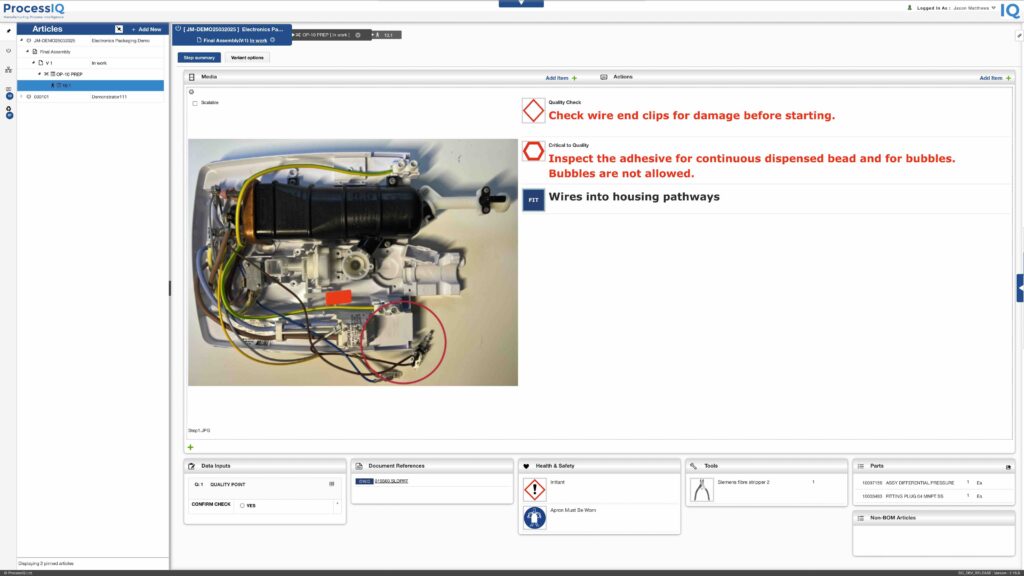
👉 Effortless Work Instruction Authoring: Easily create and manage electronic work instructions (EWIs) with rich multimedia content, including images, videos, and annotations, ensuring standardisation and clarity for operators.

👉 Customisable Workflow Configuration: Define and configure step-by-step processes tailored to your unique production needs, reducing errors and ensuring compliance with industry standards.

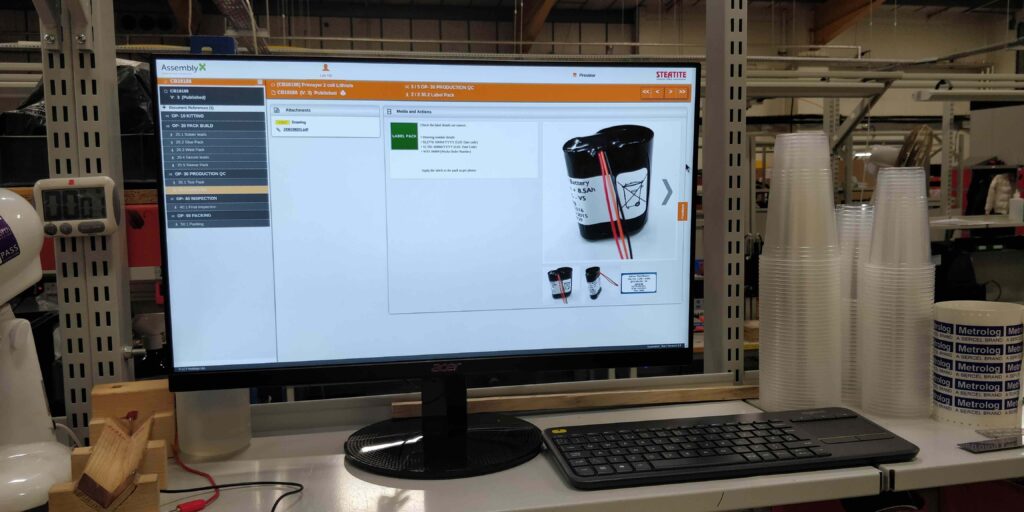
👉 Seamless Operator Experience: Operators can access and follow digital build instructions directly from a touchscreen or workstation, eliminating the need for paper documents and improving efficiency on the shop floor.

👉 Robust Version Control: Ensure operators always work with the latest approved instructions with robust revision control where updates are managed effortlessly within the system.

👉 Faster Training & Onboarding: New employees and operators can quickly adapt to tasks using intuitive, structured digital guides, reducing training time and improving overall workforce competency.

👉 Align Production Controls: Import manufacturing orders to align your schedule and shop floor throughput, reducing defects and enhancing operational performance.


Book A Demo

Easy to use Build & Quality Process Creator

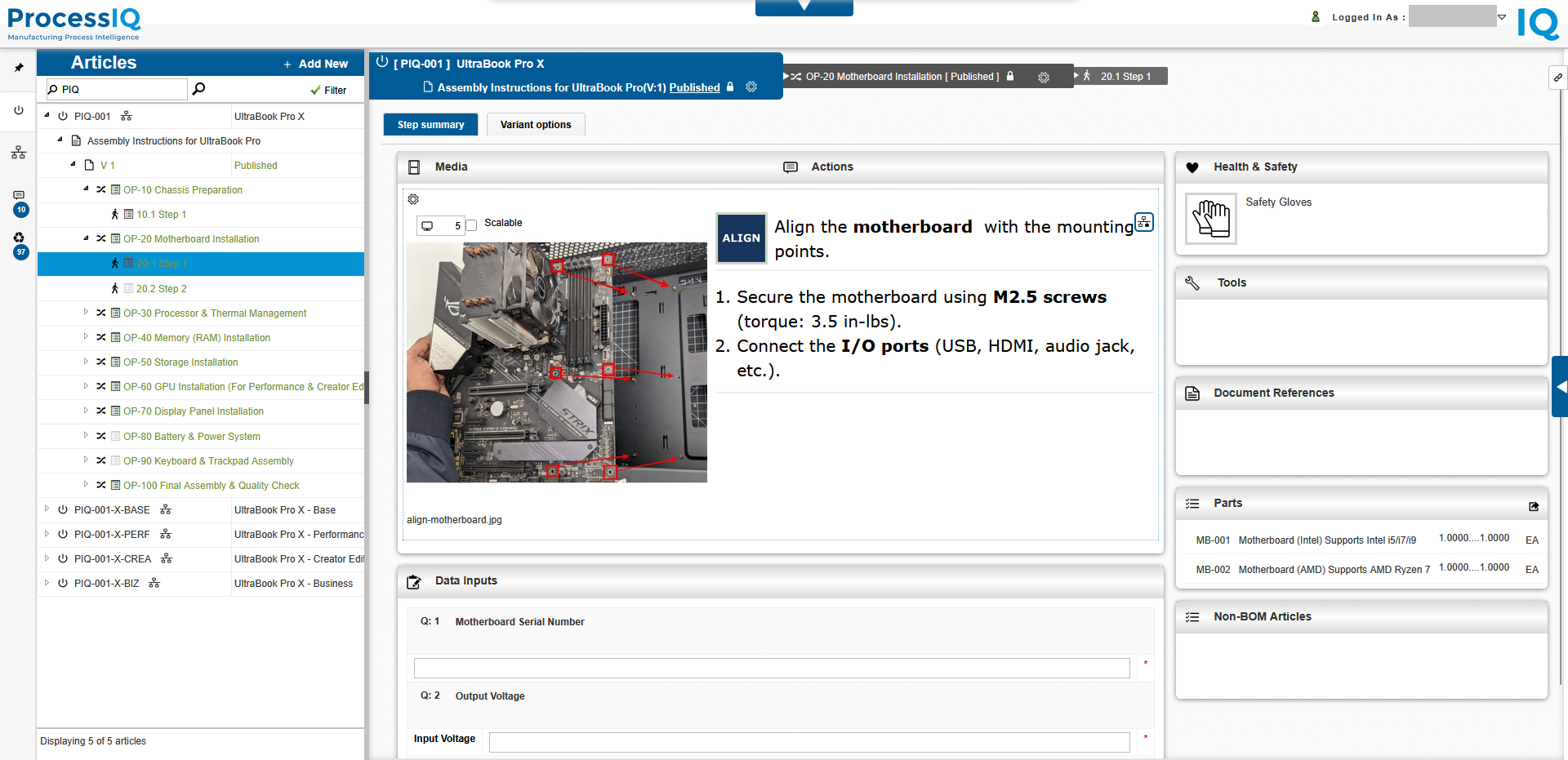
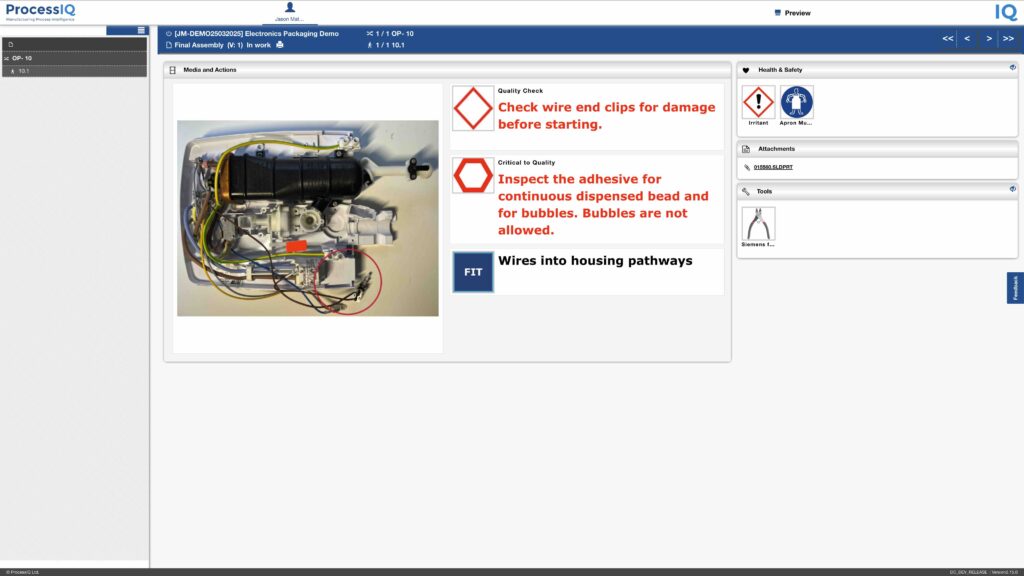
Using ProcessIQ for the creation of process & build instructions is easy. From a standard configured layout and objects such as tools and health & safety to the use of annotated high-resolution images and video, eradicating all the headaches of using paper, Word, Excel and PowerPoint. Includes image markup to save time!

Easily create your electronic production quality & build processes
Ensure revisions of processes and work instructions efficiently controlled.

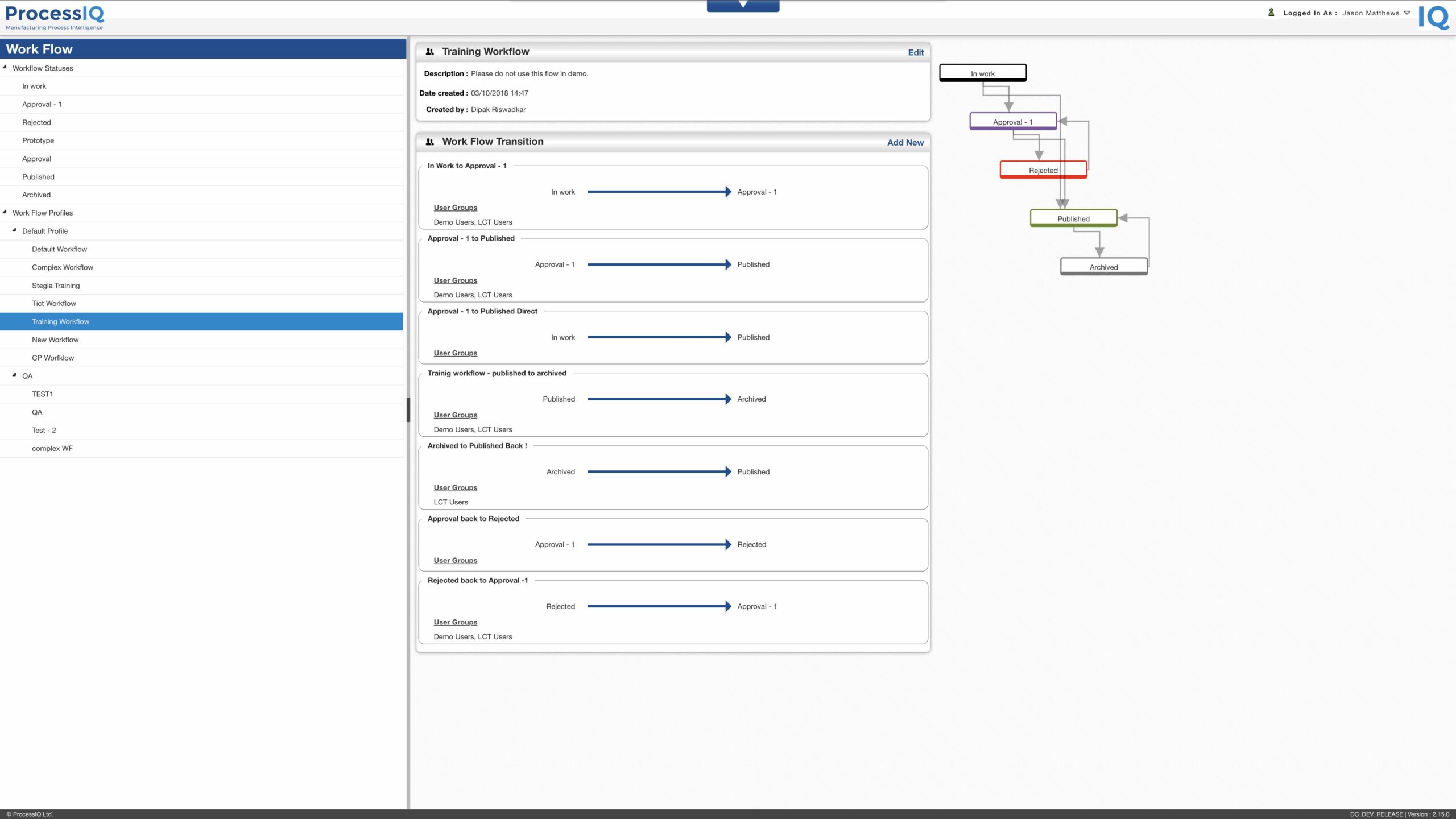
Robust workflow and revision management

ProcessIQ provides robust security and workflow ensuring all activities are auditable, tracking work instruction lifecycle changes and ensuring only the latest version of build instructions are in use on the shop floor.

Improve quality with Paperless consumption

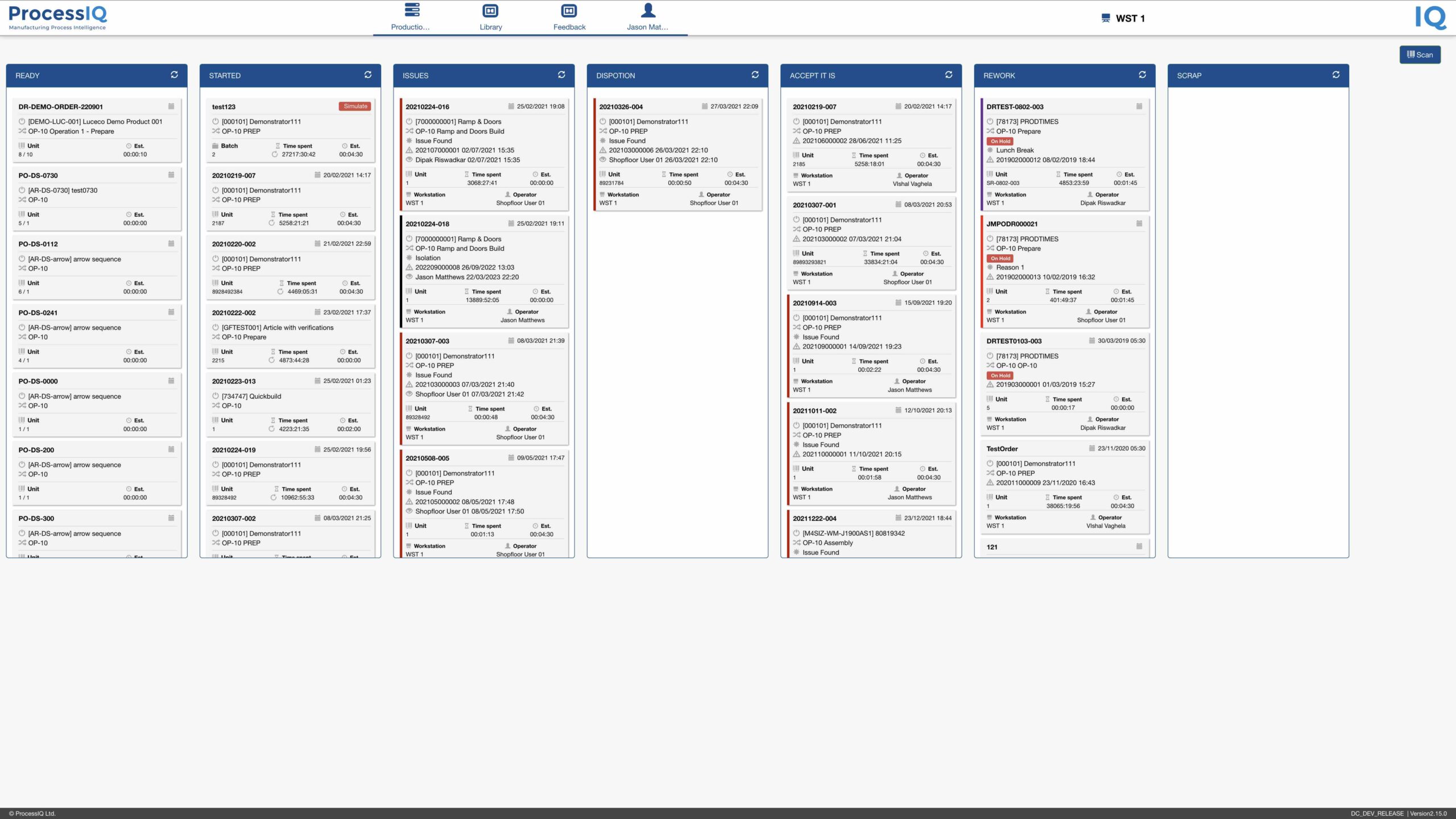
Going paperless requires the controlled distributing of released electronic build processes to your operators via a screen or tablet. ProcessIQ enables operators to pull the next item from a KANBAN screen or directly from a part number.
Eradicate paper from your shop floor wtih electronic work instructions
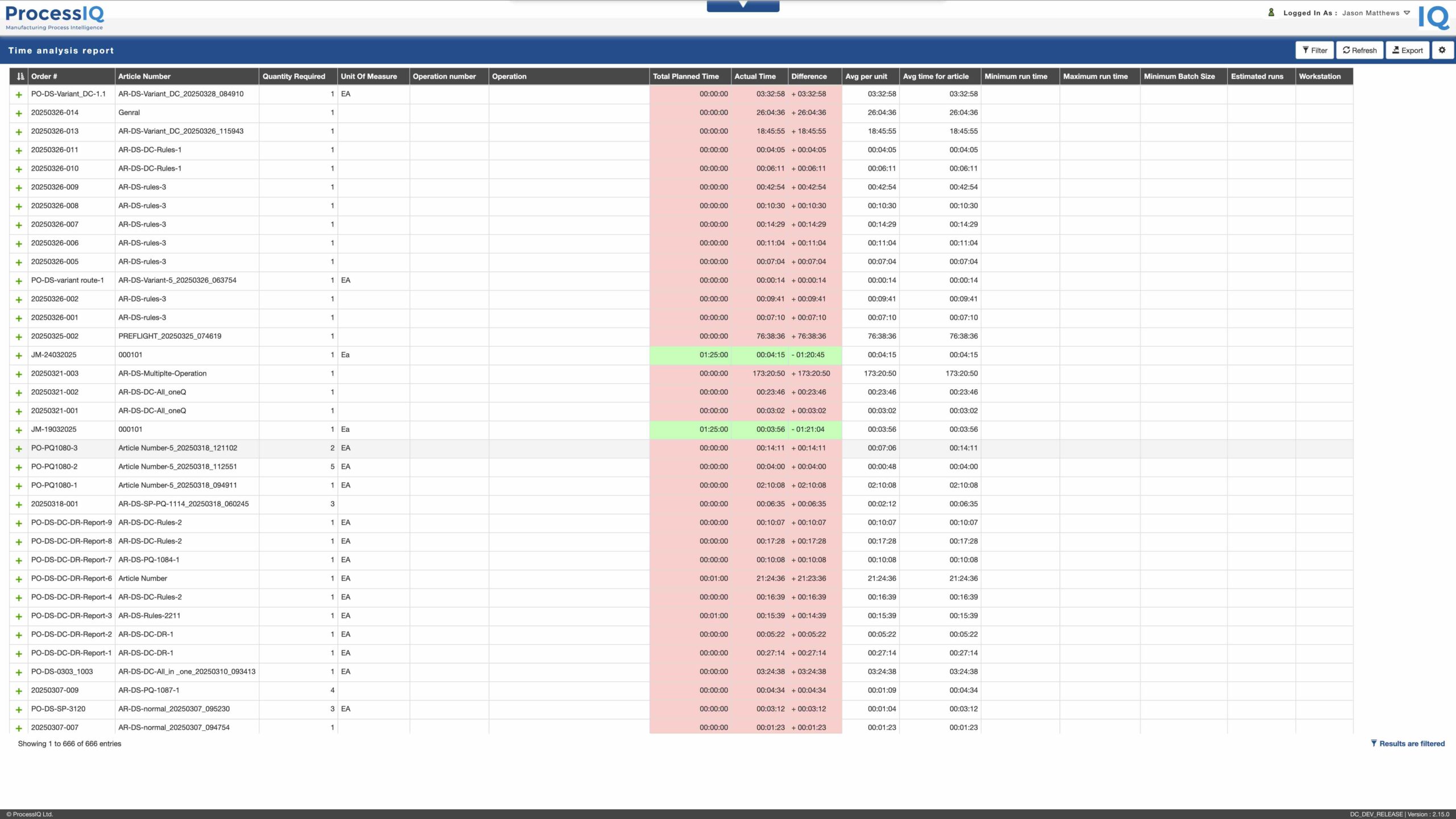
Compare your ERP planned timings against your actual timings to ensure your products are profitable.

Easily analyse data for production timings and quality data

Using ProcessIQ standard reports manufacturers can see the data that has been generated through the build around timings and extract the information to Excel. Customers can add the advanced reporting API connecting industry tooling such as Microsoft PowerBI where charting, graphing, customer specific reports can be built.

Increase Efficiency of operations using Order Management

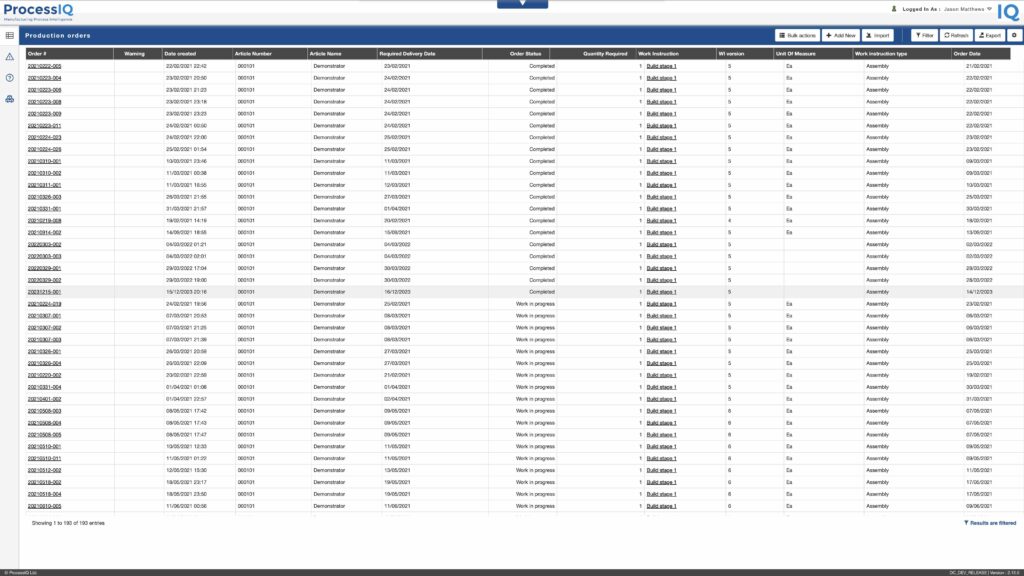
ProcessIQ provides order management where you can import orders en-mass, create orders & complete basic changes such as status, qty change or cancellation. Data for serial build, batch numbers are automatically linked to the latest published work instructions ensuring operators are always provided with the correct revision for the build.


Ensure operators can only select the latest version of build processes connected to your production orders

Improve quality ensuring the latest revision is available on the shop floor

Shop floor operators can only select released work instructions using a variety of methods from scanning a barcode, selecting a product using a part number or directly from the KANBAN.